
Your Checkout Is Now Smarter
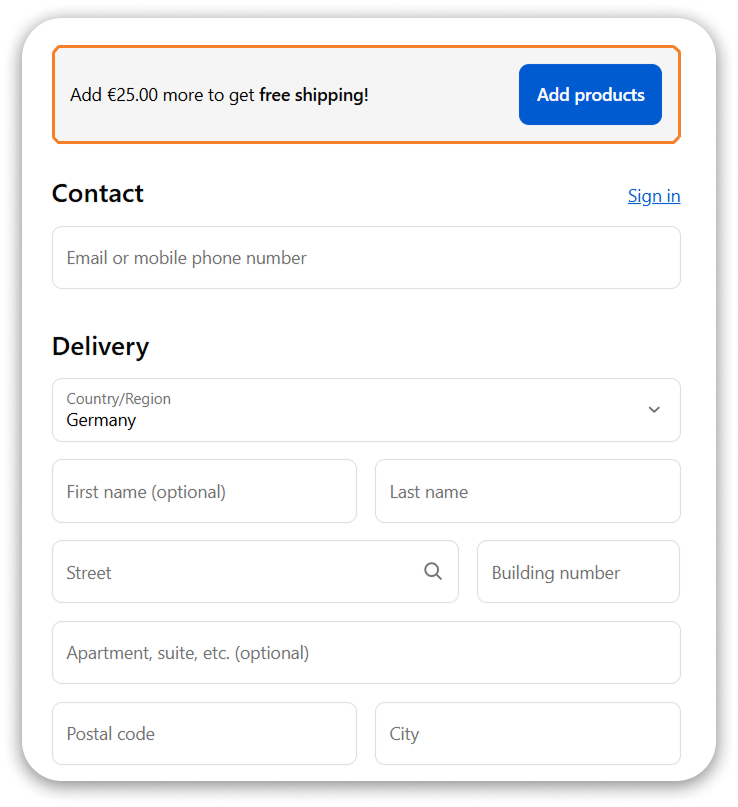
It detects your store’s active offers and displays perfectly-timed upsell messages inside checkout — no extra setup, no coding.
SMART. SIMPLE. PROFITABLE.
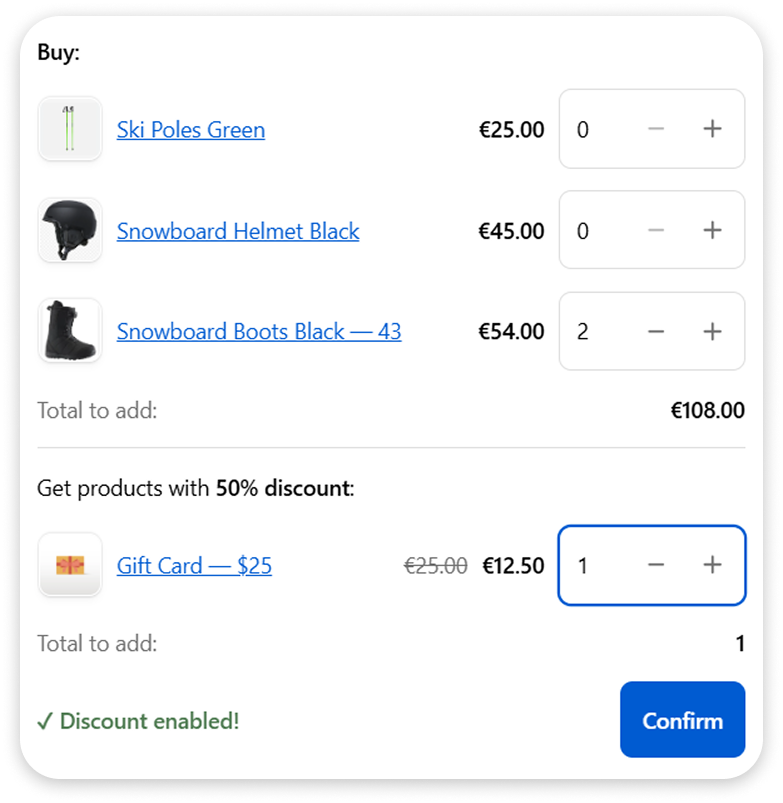
A small popover appears after clicking “Add product”, highlighting discounted items that perfectly match the customer’s cart — driving higher order value effortlessly
A Higher Average Order Value Every Single Day
Total Price Before and After:
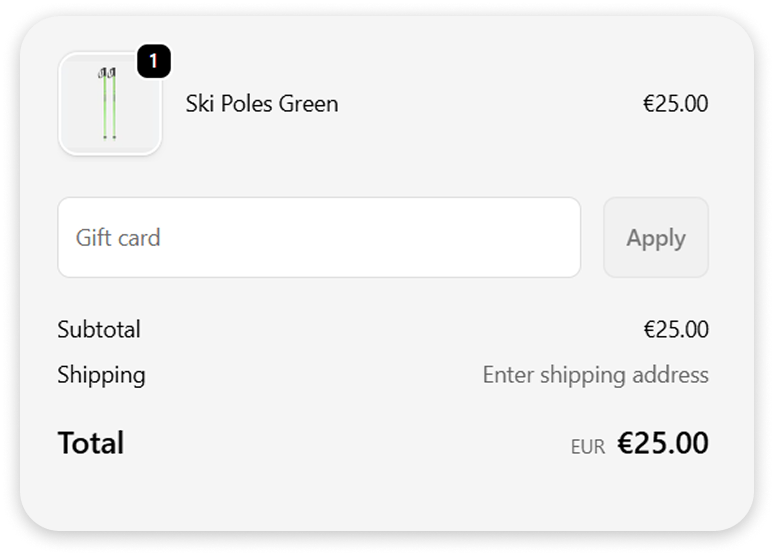
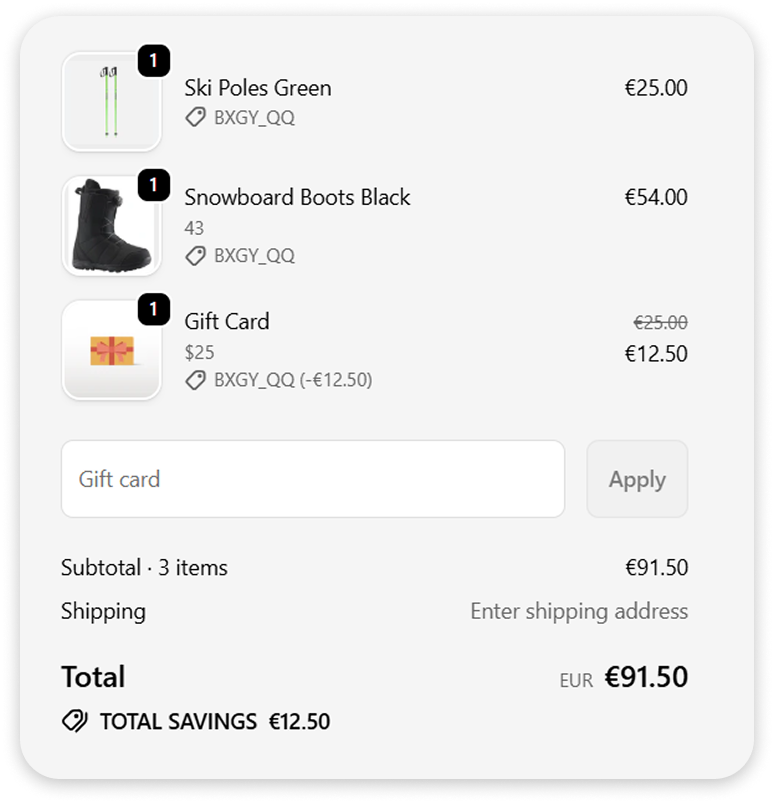
The app grows your AOV by encouraging customers to add more items earlier than payment.
What do you get from using Hintello?

More profit
The best part is, more sales means more profit! This allows you to increase the quantity and variety of your products, and much more!

Happier Customer
When customers see good deals, they add more items to their cart and purchase them. This makes them happier. They’ll visit your store more often and recommend it to their friends and family.

More Sales
People often buy discounted items, even if they don’t really need them. This is common human psychology. Therefore, the more people see these offers, the more sales you’ll get!

No Maintenance Required
Hintello reads your existing discounts and works automatically. No need to edit rules, update thresholds, or manage anything manually.

Bullet-Proof Checkout Stability
Hintello is built on Shopify’s native Checkout UI Extensions, so it never slows checkout, never conflicts with other apps, and keeps your purchase flow perfectly stable

Higher Checkout Conversion
Shoppers understand deals faster and finish their purchase more often. Clear offers reduce hesitation and boost checkout completion.
Don’t lose your opportunity to grow – install HINTELLO
FAQ’s
find the answers you’re looking for
Contact Us
We would be happy to answer you if you have any questions.
vaikutzhuk@gmail.com
Do I have to set up the flow manually?
No, the flow of your checkout hints is fully automated. Just put the block in your checkout and choose the desired hint types!
How does the hint get selected?
We analyse the customer’s cart, order amount, discount combinations, and many other parameters to select the most relevant hint type for each checkout session.
Do I need to make new automatic discounts?
We see all of your active automatic discounts. If you add new ones, we will be able to use them for hints. Everything gets processed automatically.
What do I need to do to make the hints appear in checkout?
Once you’ve installed our app, all currently available hints are immediately activated in your Hintello admin panel. If you’d like to prevent a hint from appearing to customers at checkout, you can easily disable it in the “Activated Hint Types” section by clicking the “Deactivate” button on the relevant hint.
If I don’t have certain automatic discounts, will the hints still work?
Yes. We will only use hint types that are applicable to your store based on your current automatic discounts and settings.
Will there be several hints if I add 2 or more blocks in my checkout?
Only 1 hint type gets selected. We recommend you to use only one block and place it in the chosen spot.
Do you need any code or theme edits?
No. Everything works through Checkout UI Extensions.